 Overview
Dispatchers — Built from 0→1
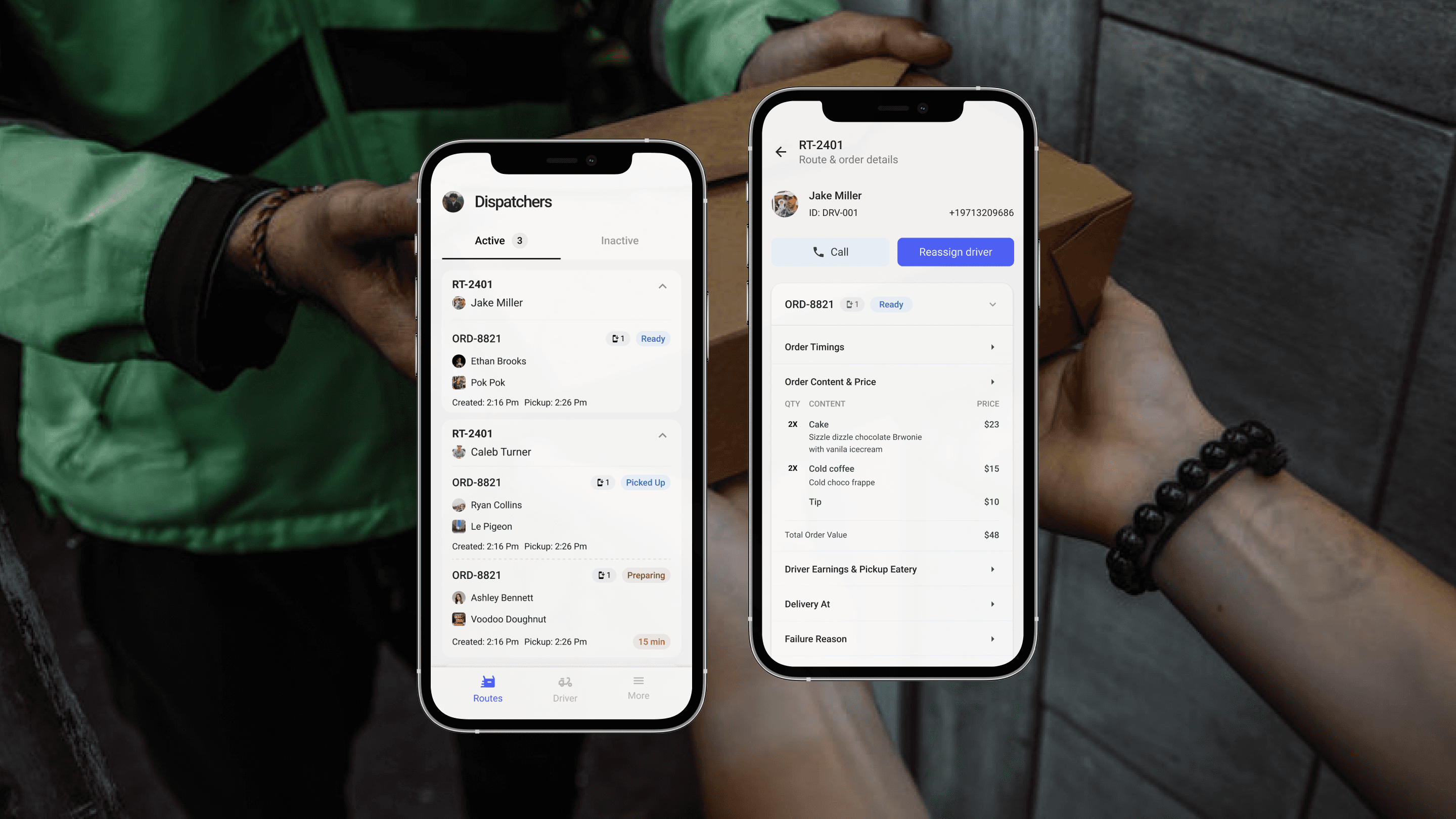
Redesigning how a food delivery startup's operations team monitors, manages, and resolves live orders — cutting response time by 60%.
MY ROLE
Lead Product Designer, Strategy
Duration
3 Months
Team
2 Designer, 3 Front-end engineer, 2 back-end engineer
Scope
Full product lifecycle -From Research Synthesis to a MVP
01 The opportunity
The problem worth solving
Slurpalicious is a community-first food delivery startup operating in Astoria, Oregon — holding roughly 15% of the local market. The business runs on three facets: customers, eatery partners, and delivery drivers. The fourth, invisible facet is the dispatch team — the connective tissue that resolves anomalies in real time.
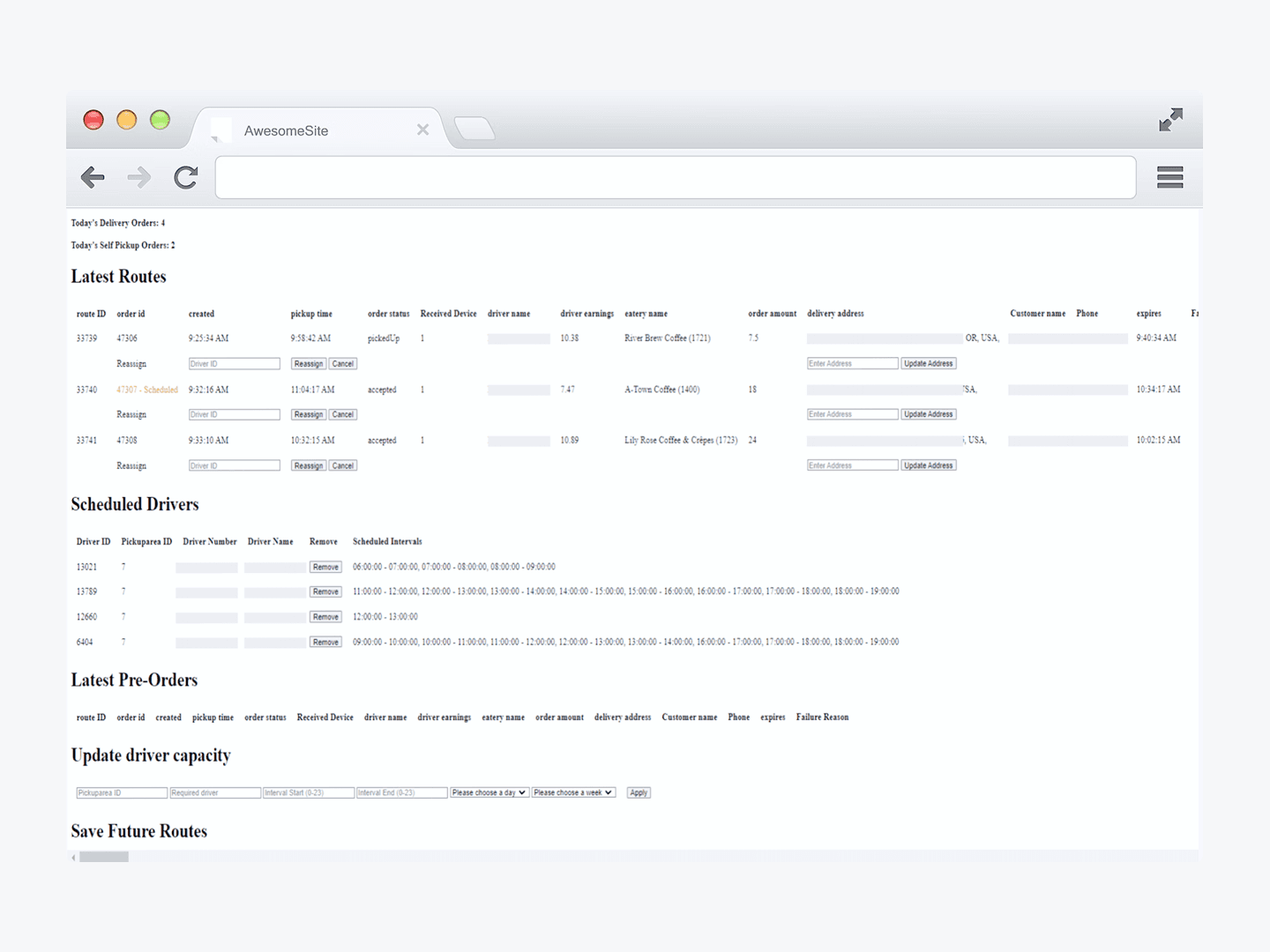
With a Portland expansion imminent (doubling order volume overnight), the existing browser dashboard was already causing 4–5 minute delays in issue resolution. At scale, this would directly translate to order cancellations and churn. The founder handed me the brief: design a mobile-first tool that makes the dispatch team self-sufficient.
BUSINESS CONSTRAINT
To be shipped before Portland launch. Every day of delay meant the team would go into a high-volume market with a tool that was already failing them.
02 Research
Research & insights
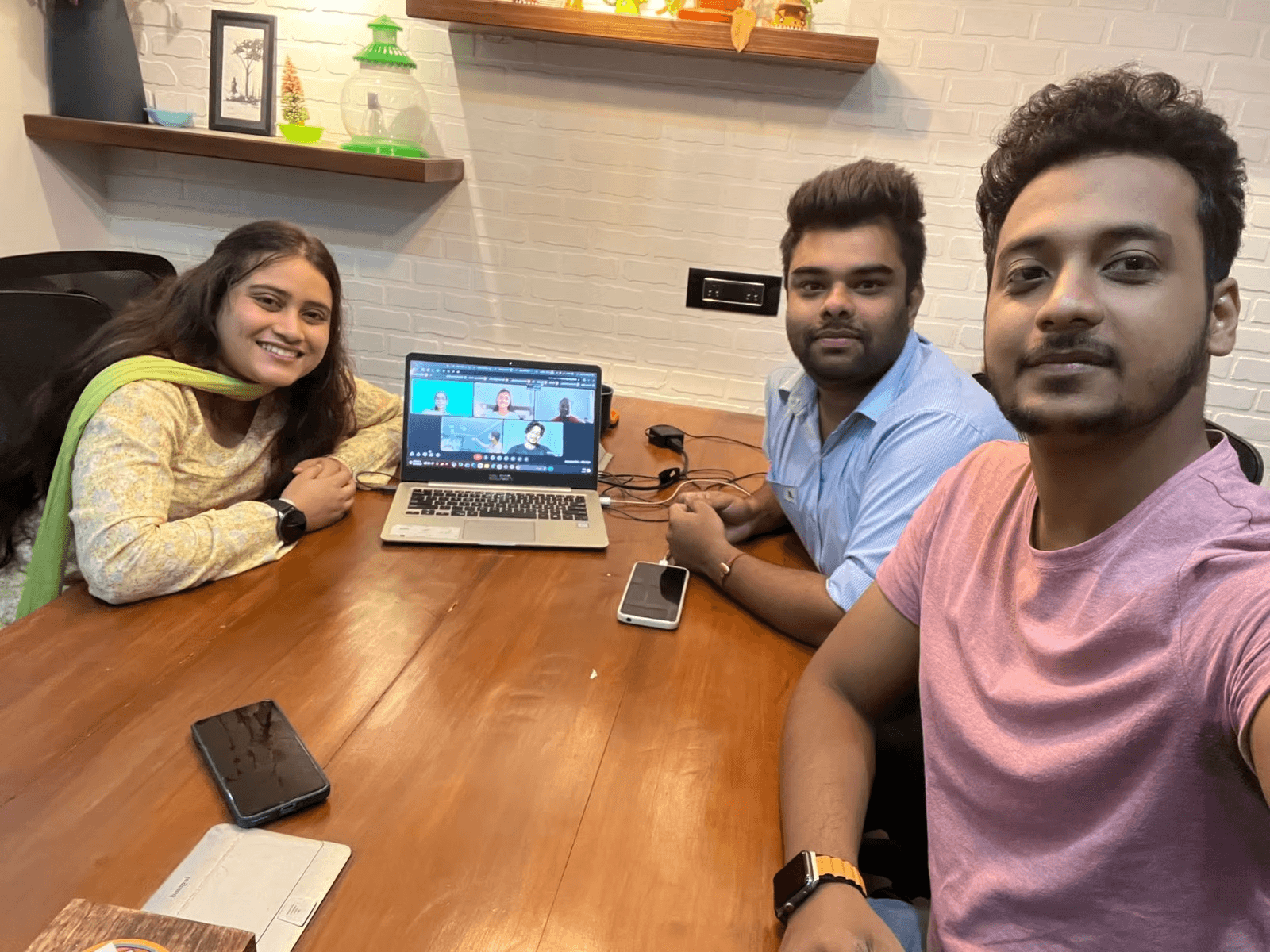
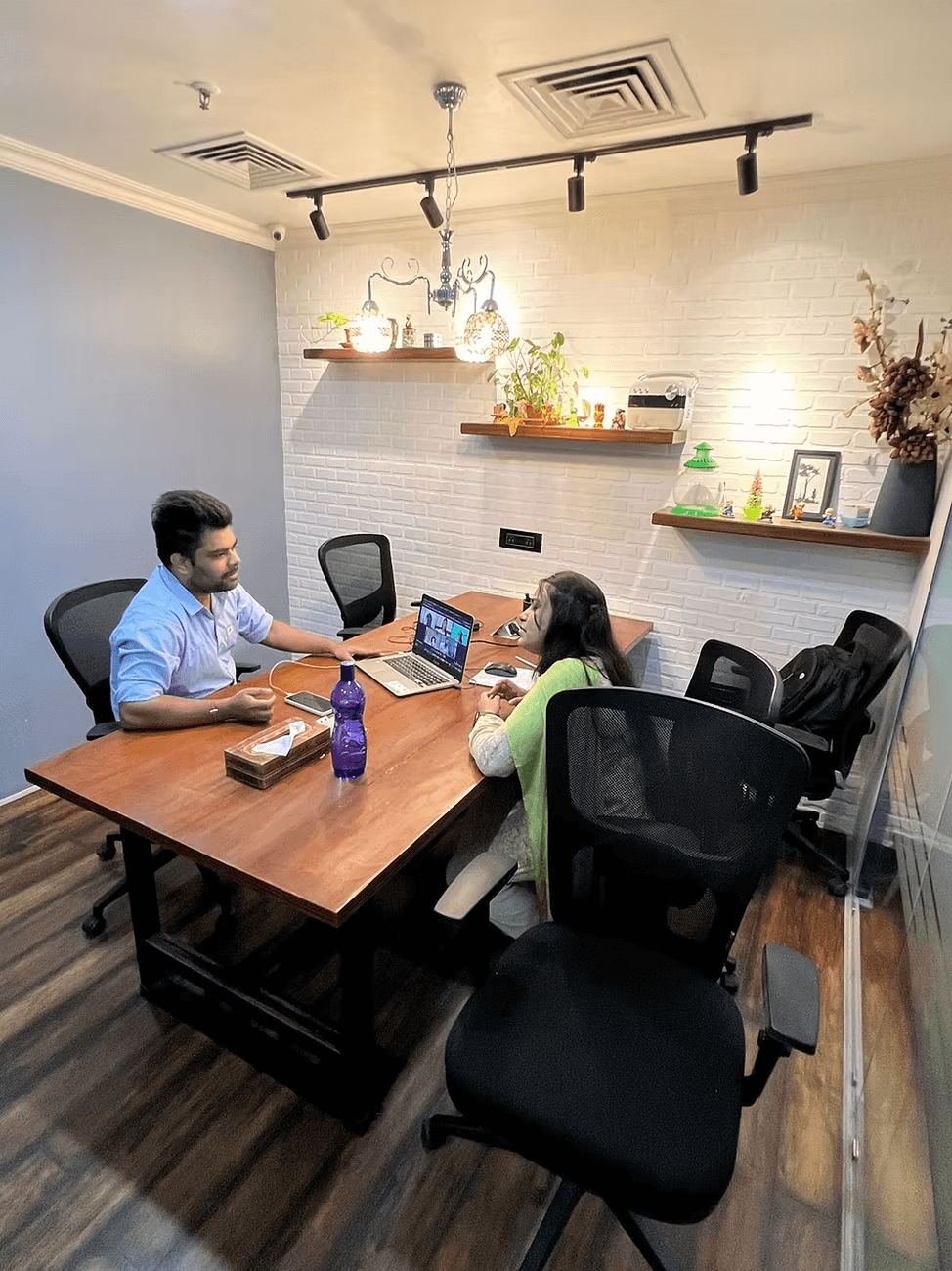
I collaborated with dispatch team and observed them during a live shift. Observing eye movement across the dashboard, asking them to think aloud. I interviewed delivery partners to understand breakdown points from their side.
Interviews conducted with 3 dispatch team members + 4 delivery partners(google chat/CEO Observation). Observation session: 30 minutes during a live Friday shift.
Finding anomalies
Scanning the dashboard for issues (unassigned driver, eatery rejection) was slow and non-obvious. No visual priority hierarchy.
Delayed alerts
Pickup delays required manual time math before the team could act. No proactive flagging after the 15-min threshold.
Batch order confusion
Identifying grouped orders under one driver required cross-referencing routes manually — no visual cue on the dashboard.
Driver outreach friction
Calling a driver required opening a separate contact list. No in-context call action.
Schedule visibility
Checking who's available for a given hour meant opening the parent app — a context switch that broke flow.
Mobile demand
Team managed deliveries while commuting. The desktop dashboard wasn't viable on the go — a clear signal for mobile-first design.
Why an app, not a better dashboard?
The browser dashboard handled full-scale monitoring well. What it couldn't do was travel with the team. Research showed dispatchers were already attempting to manage issues on their phones using the mobile browser — and failing. The app wasn't a replacement; it was purpose-built for the exception-resolution workflow that happens away from the desk. The viewport constraint was a feature: it forced us to design for action, not observation.
03 DEFINE
The Problem
Three things shaped the scope decisively:
In scope (Phase 1)
Real-time route & order monitoring
Driver scheduling by hour/area
Anomaly detection with visual status hierarchy
In-app driver outreach (call)
Eatery enable/disable
Driver capacity management
Deferred (Phase 2)
Call button inside order card
Soggy item icon on route card
Driver status beside eatery name
Advanced analytics / reporting
Competitive analysis of three analogous tools (Onfleet, Freshdesk, Bringg) shaped information hierarchy principles: early order segmentation, status contrast, and minimal copy density.
04 Architecture
Information architecture
I ran a card sorting session with the team, asking them to group and colour-code features by priority. This surfaced a clear three-tier mental model:
Routes & Orders
Drivers & Scheduling
Settings & Admin
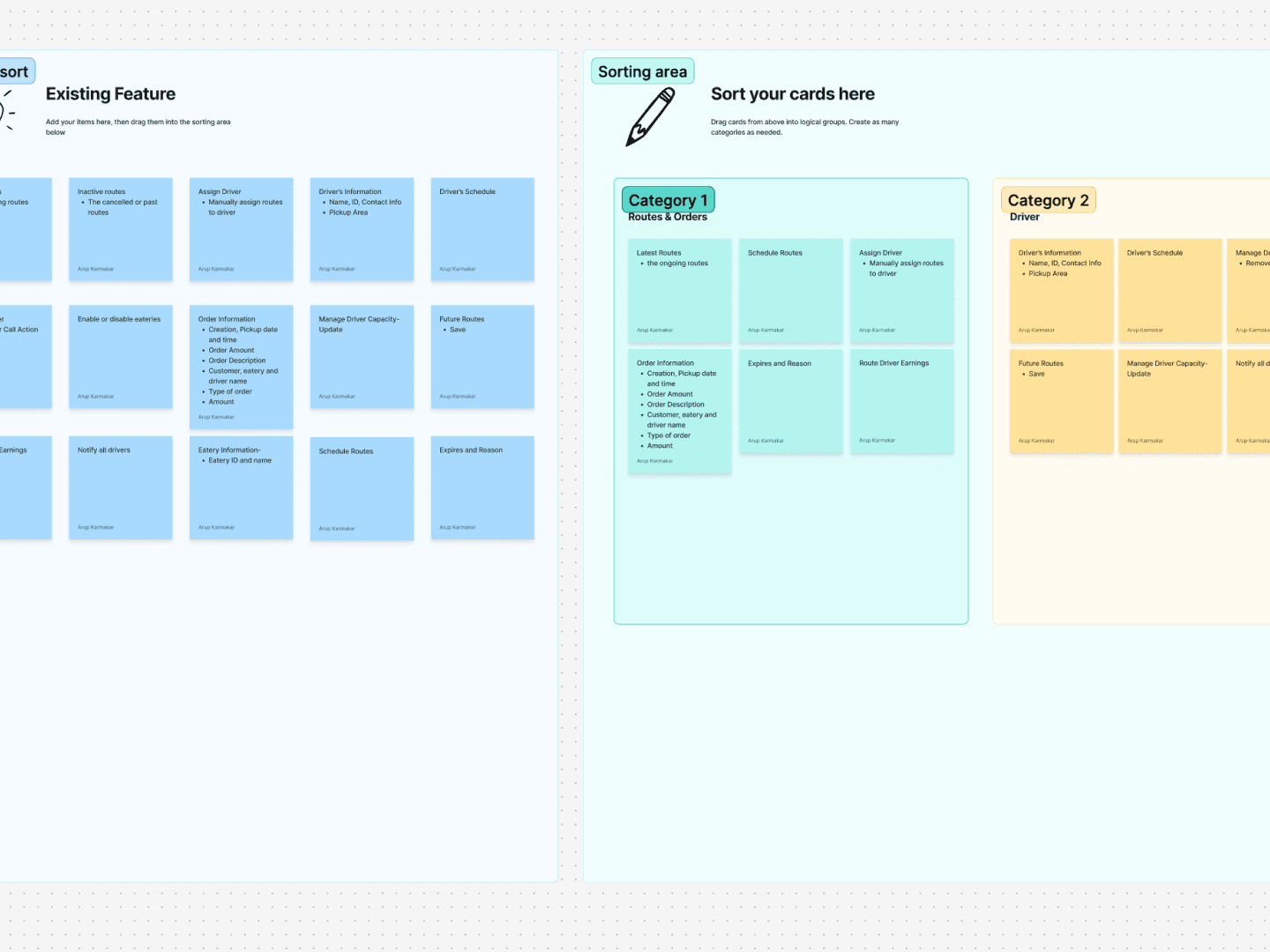
A think-aloud exercise revealed the critical sequence: teams always check active route status first, then act on exceptions, then look at driver scheduling. This directly set the navigation priority and default landing screen.
Architecture decision
Reduced three order tabs (Active / Scheduled / Past) to two (Active / Inactive) — scheduled routes were seldom viewed separately. This alone reduced cognitive overhead at the top of every shift.
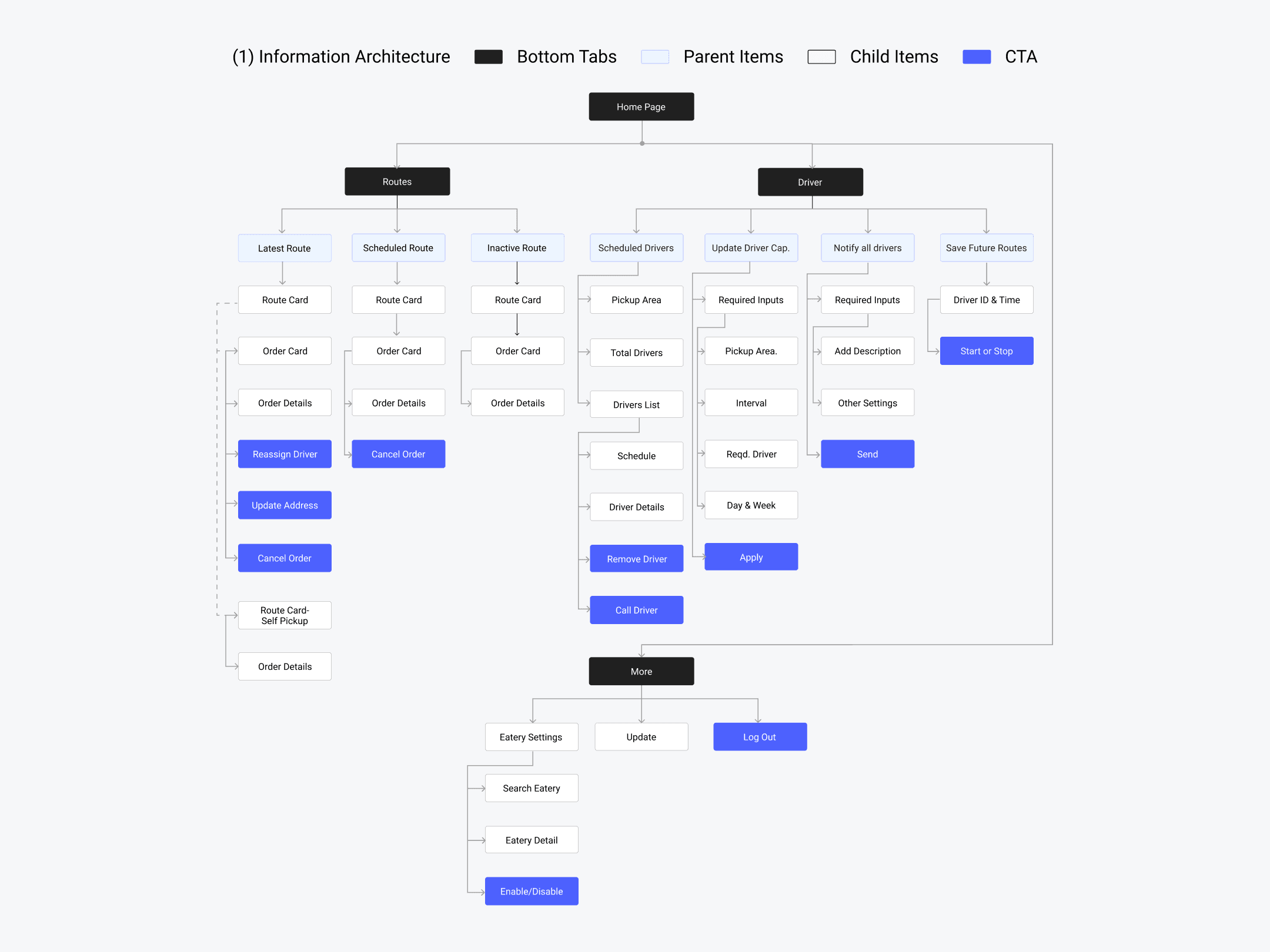
Refined IA
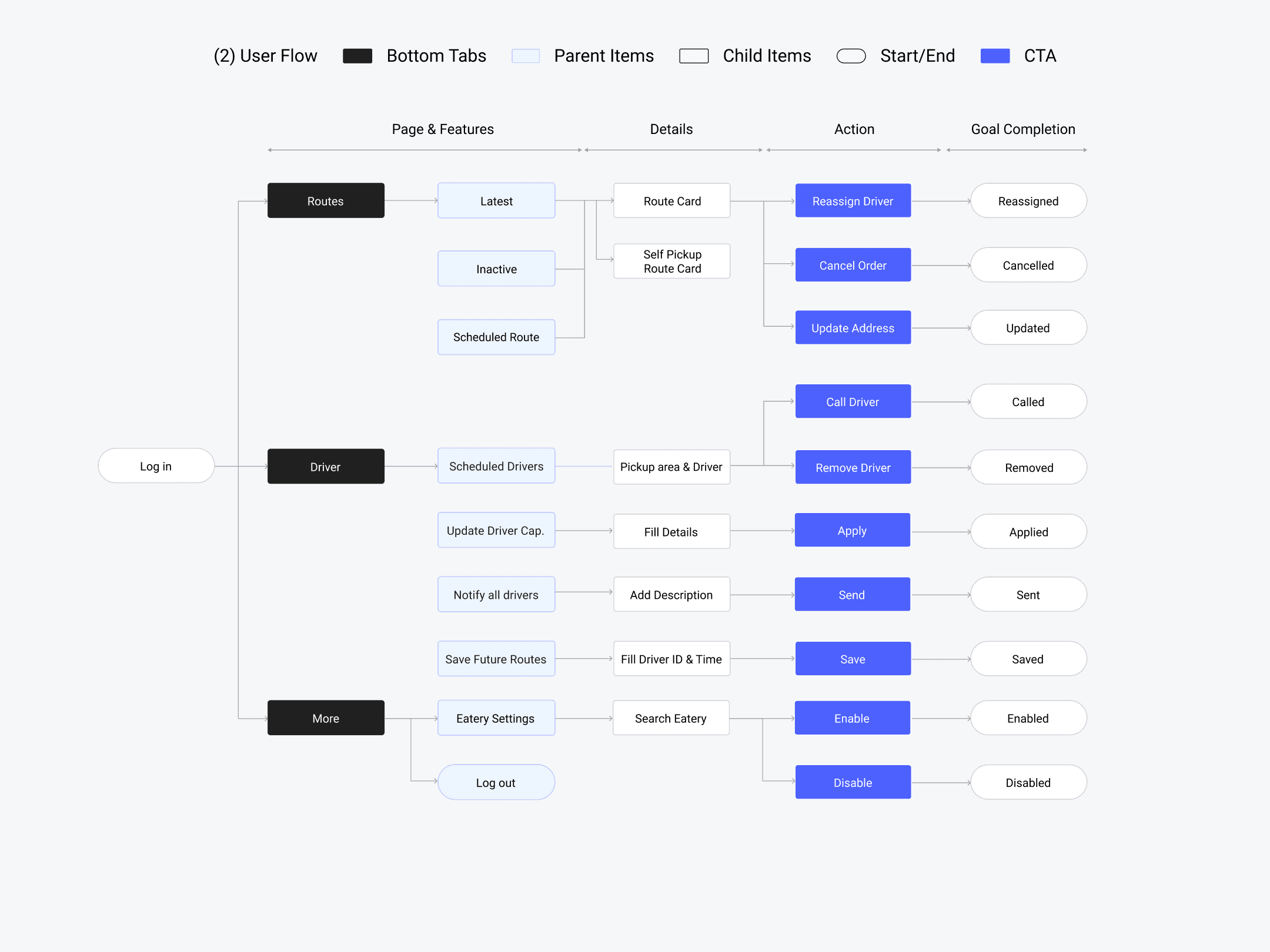
Refined Userflow
05 Design Decisions
Design decisions
During peak hours, the screen fills with 20+ route cards. Applied Miller's Law (≤7 chunks) to decide what stays visible vs. what collapses. The result: driver name, status badge, eatery name, and delay flag are always visible. Reassign/Cancel actions hidden behind tap — used rarely enough to justify the extra step. Delay flag only activates beyond 15 minutes, reducing false urgency.
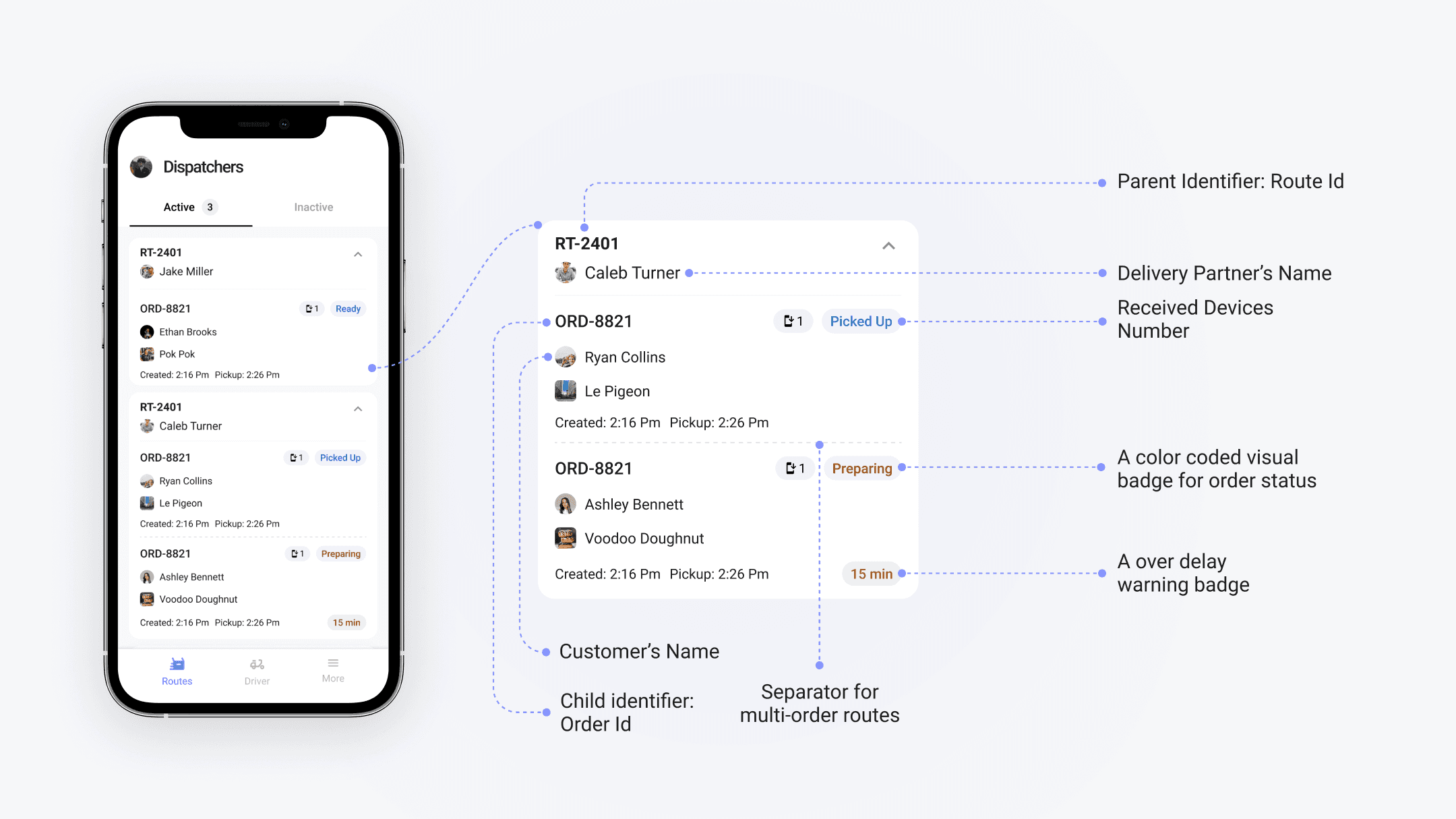
Route card details
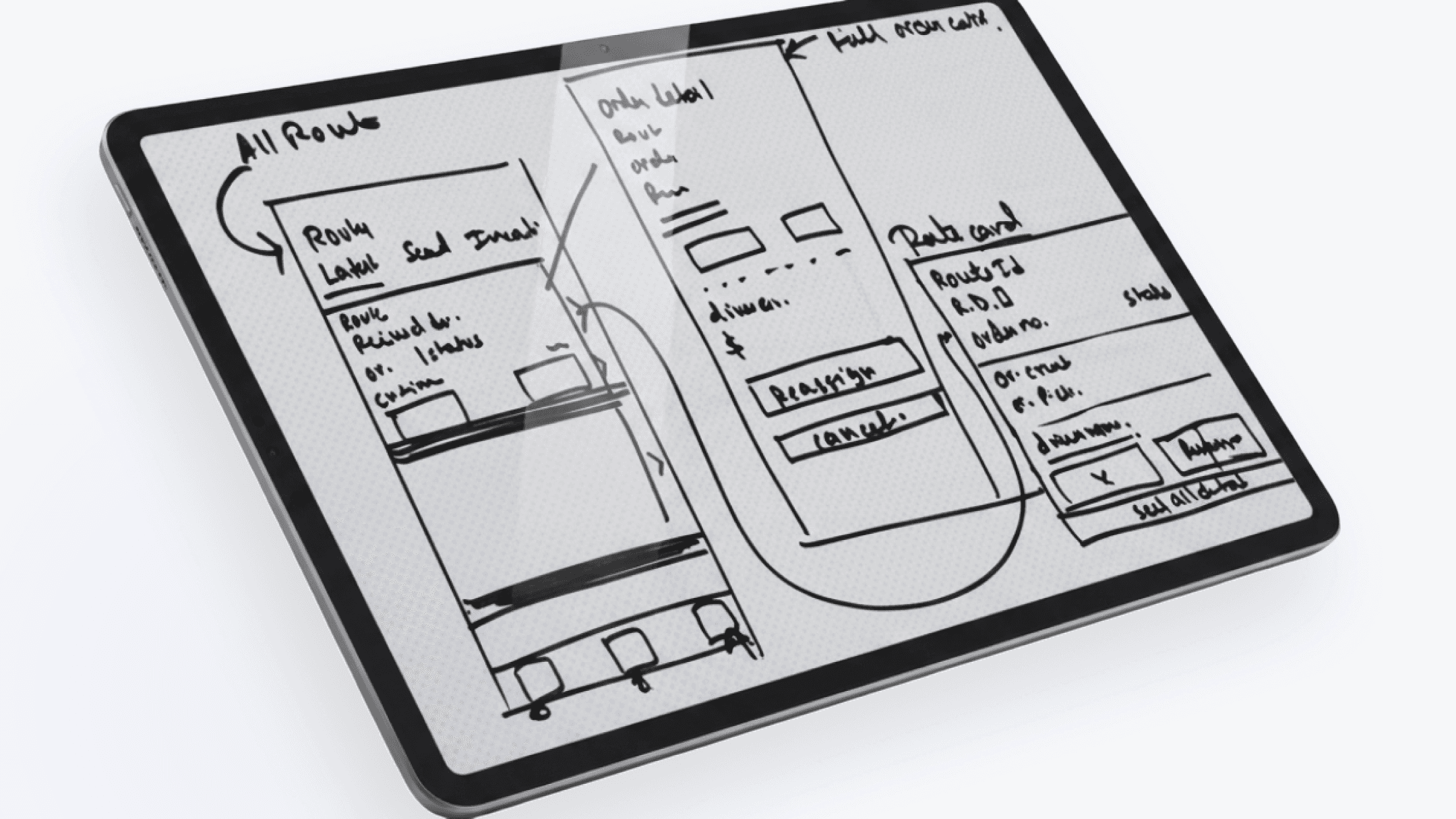
Wireframing
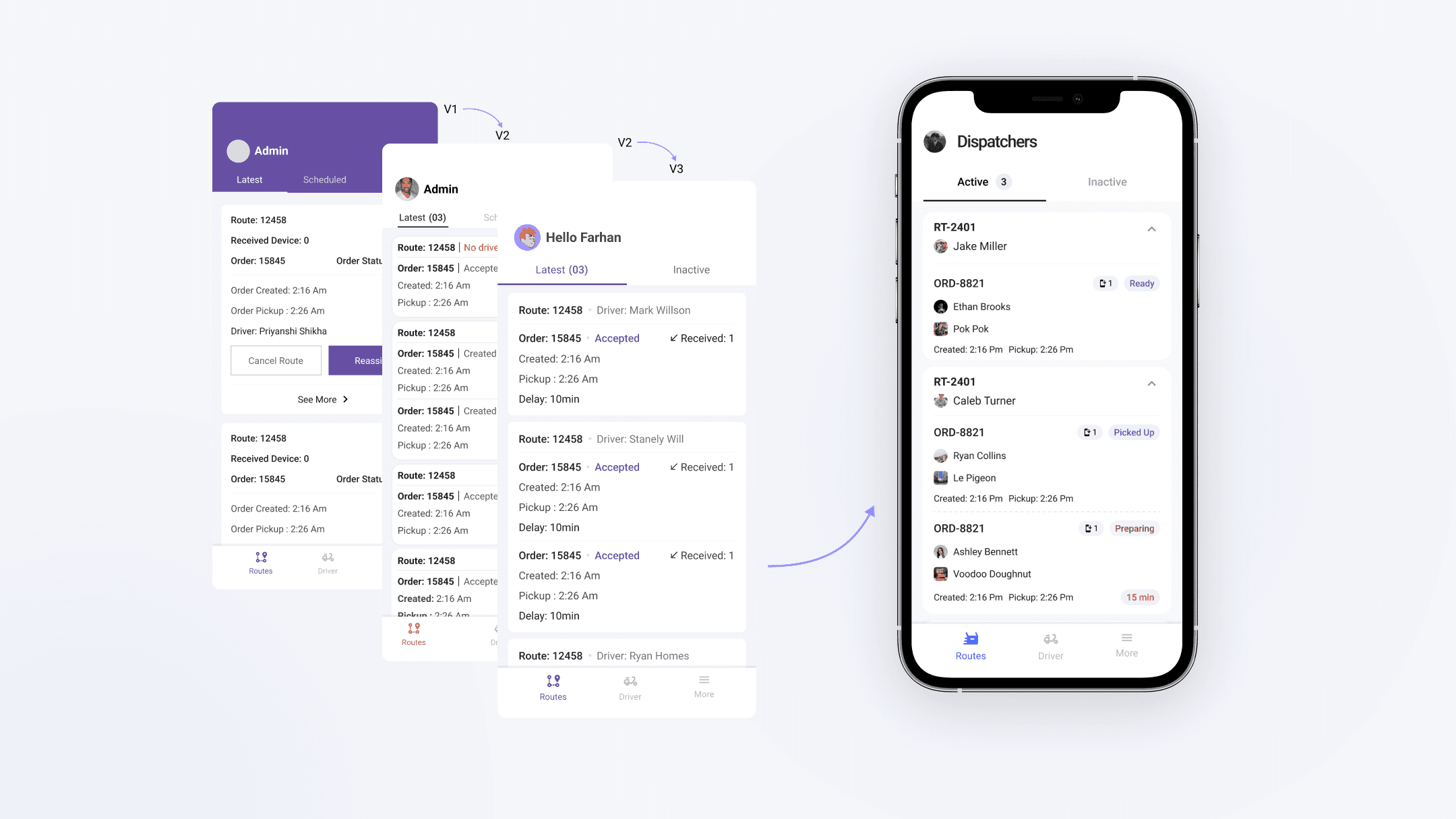
Route card iterations
Immediate action
No driver assigned, 15+ min delay, order rejected by eatery.
No action
Pickup in progress, order delivered — informational only.
Monitor
Waiting on eatery acceptance, scheduled delivery approaching.
Accessibility note
Status labels paired with colour — not colour alone — to ensure legibility under different lighting conditions and for colour-blind users.
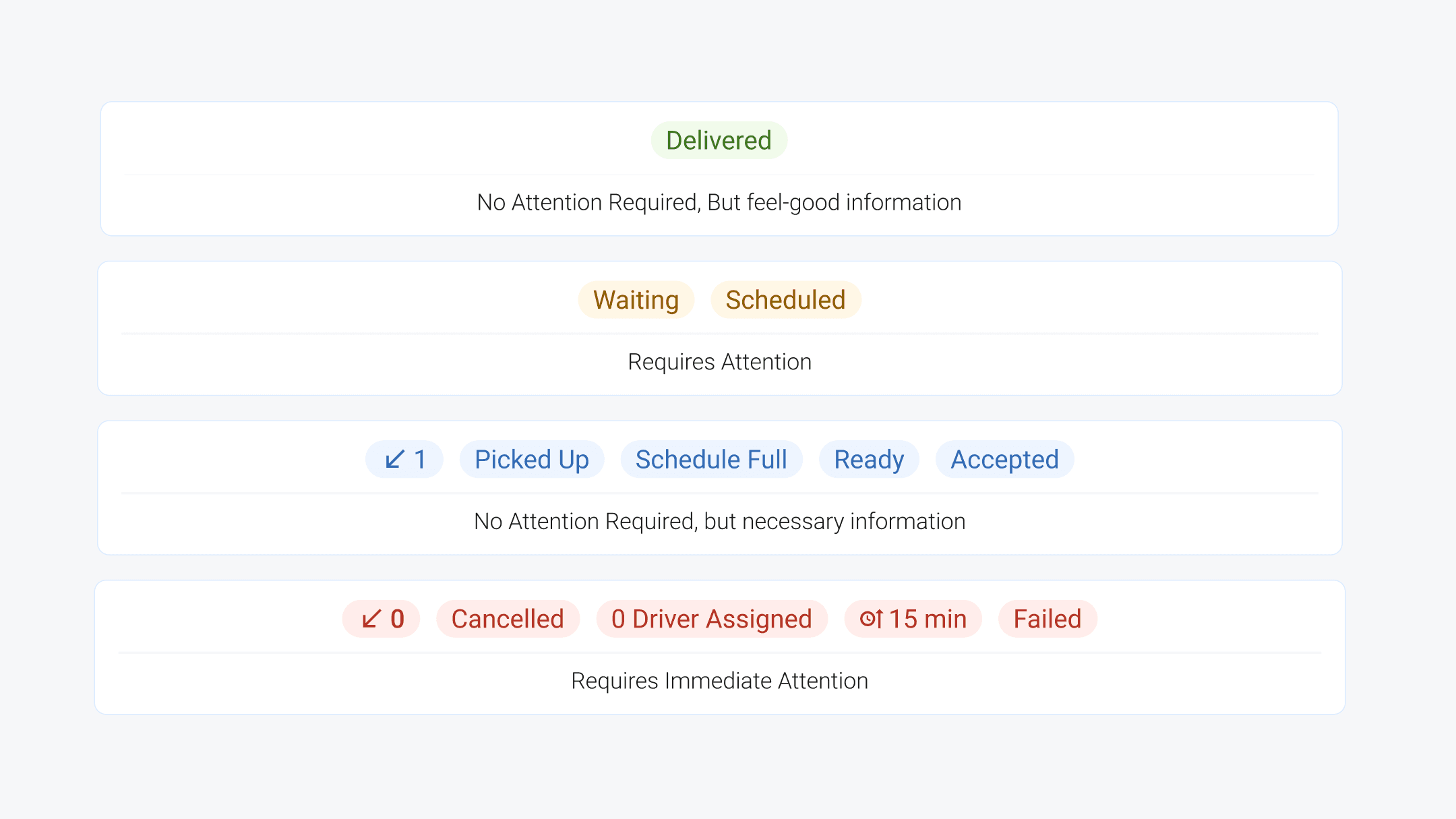
Color coded status
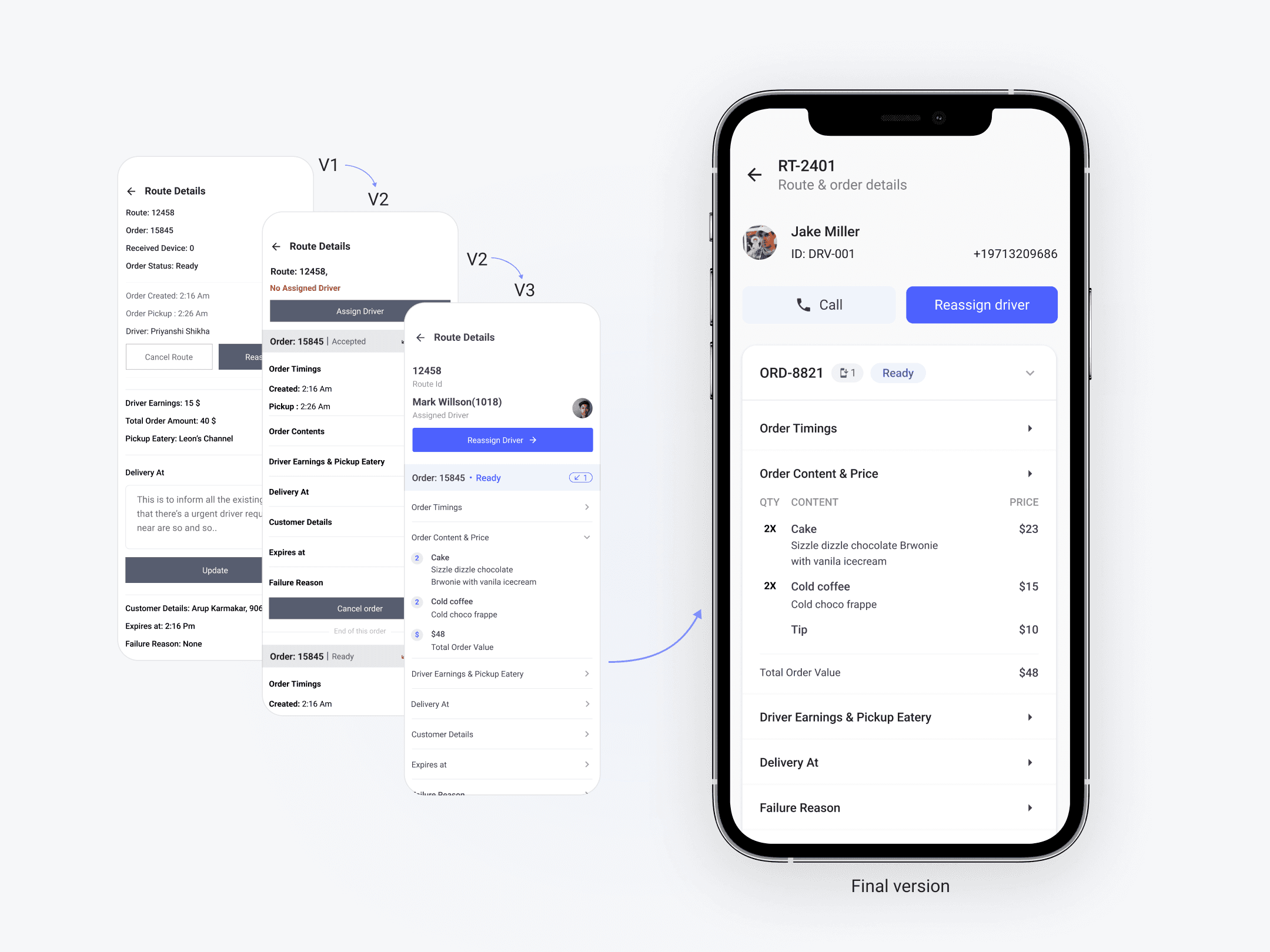
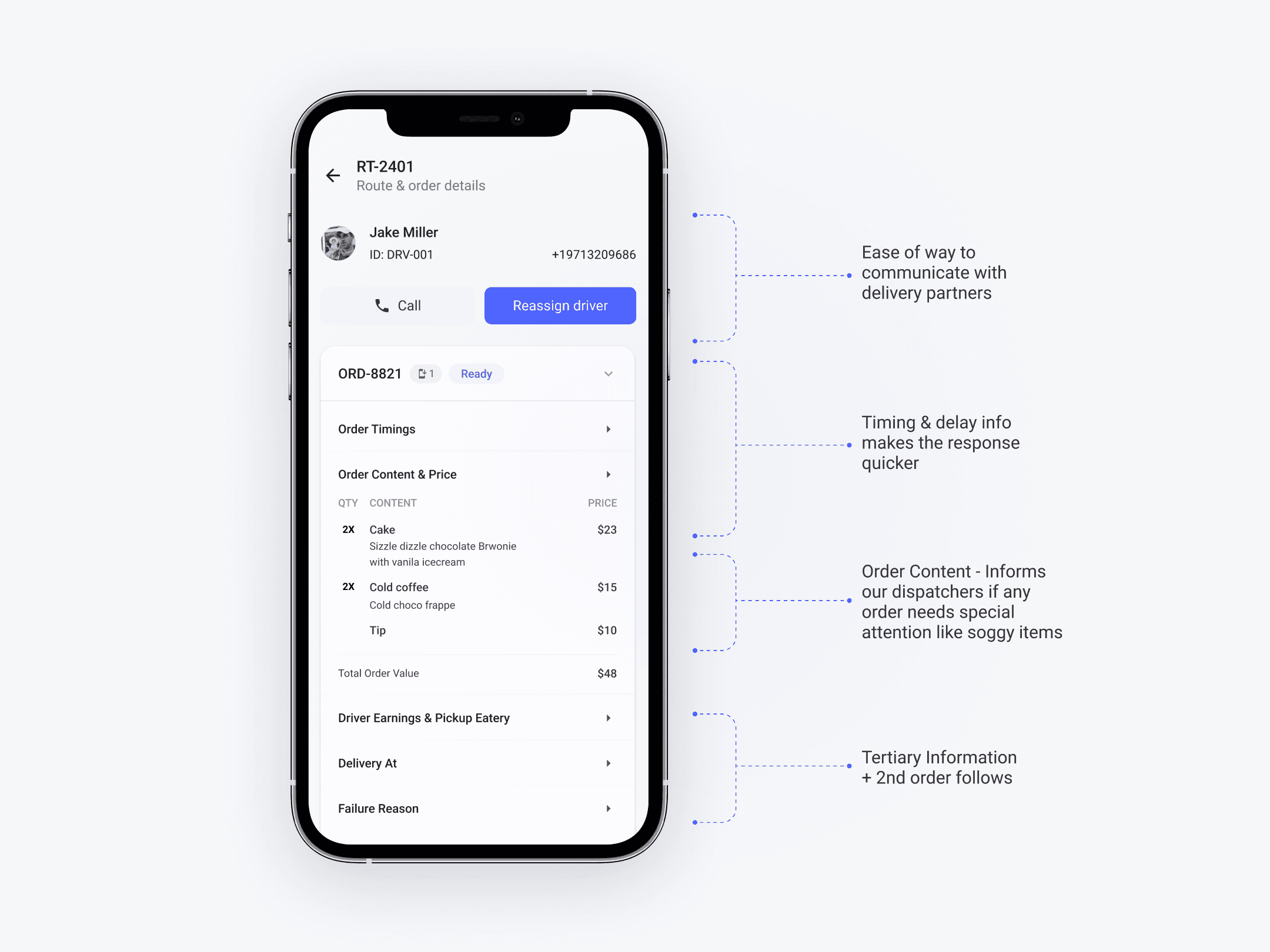
Orders for a route contained 6–10 items. A flat list made the card unscrollably tall. Accordion model (progressive disclosure) lets teams scan order summaries and expand only what's relevant — reducing visual noise. Order contents were also added here after research revealed teams needed to spot time-sensitive items (e.g. ice cream) to pre-empt delivery delays.
Order card iterations
Order card
06 Key Pivot
The scheduling pivot
Design mistake
→
Better outcome
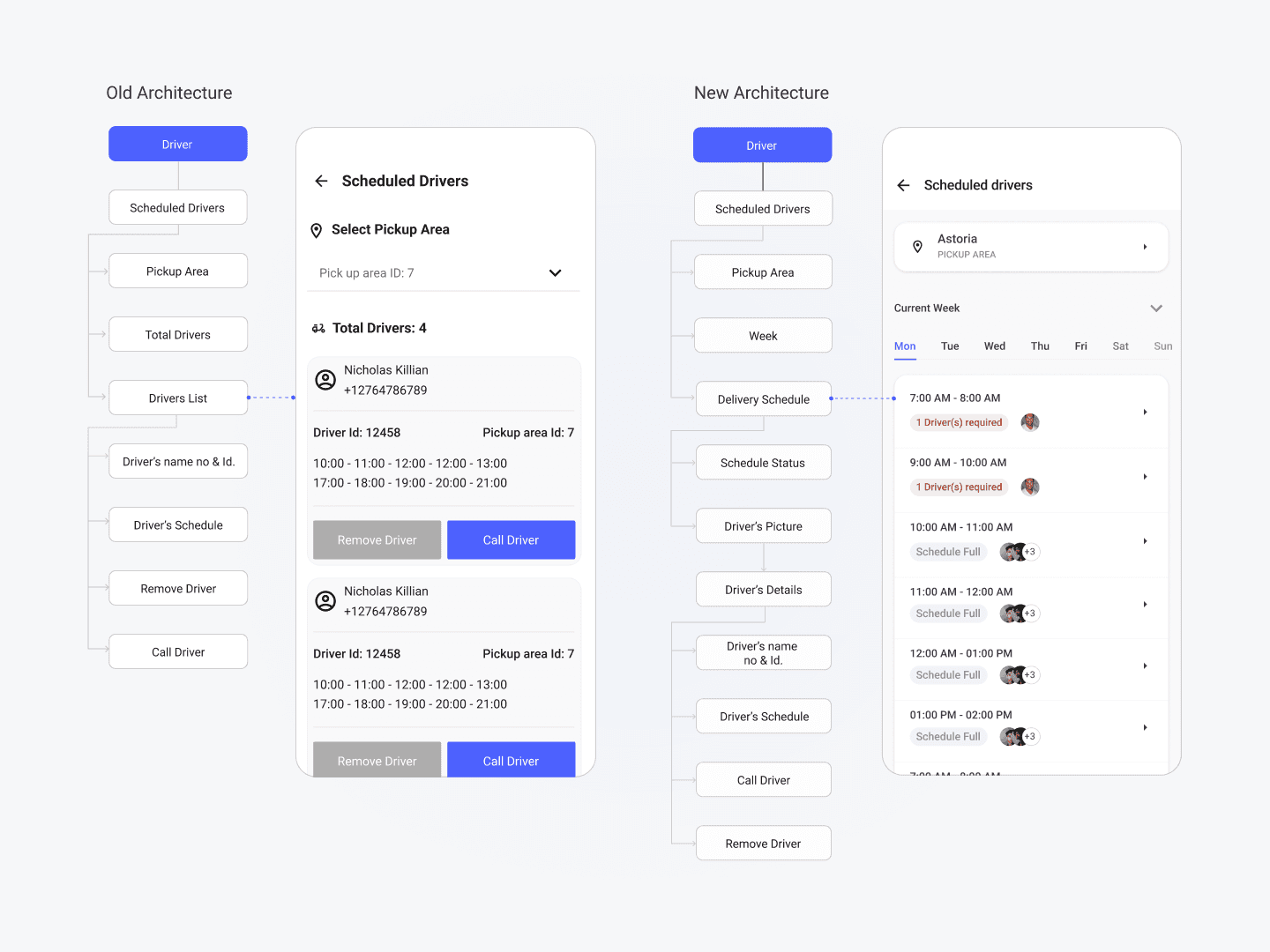
My first version of driver scheduling was built around a driver-first model: select a driver, see their full weekly schedule. It made logical sense to me as a designer. It was wrong.
Old Vs New Architecture
After testing, the team was clear: they never think in terms of a specific driver. They think in terms of a time slot — "who's covering the 6 PM shift in the North Zone?" The mental model was slot-first, not driver-first.
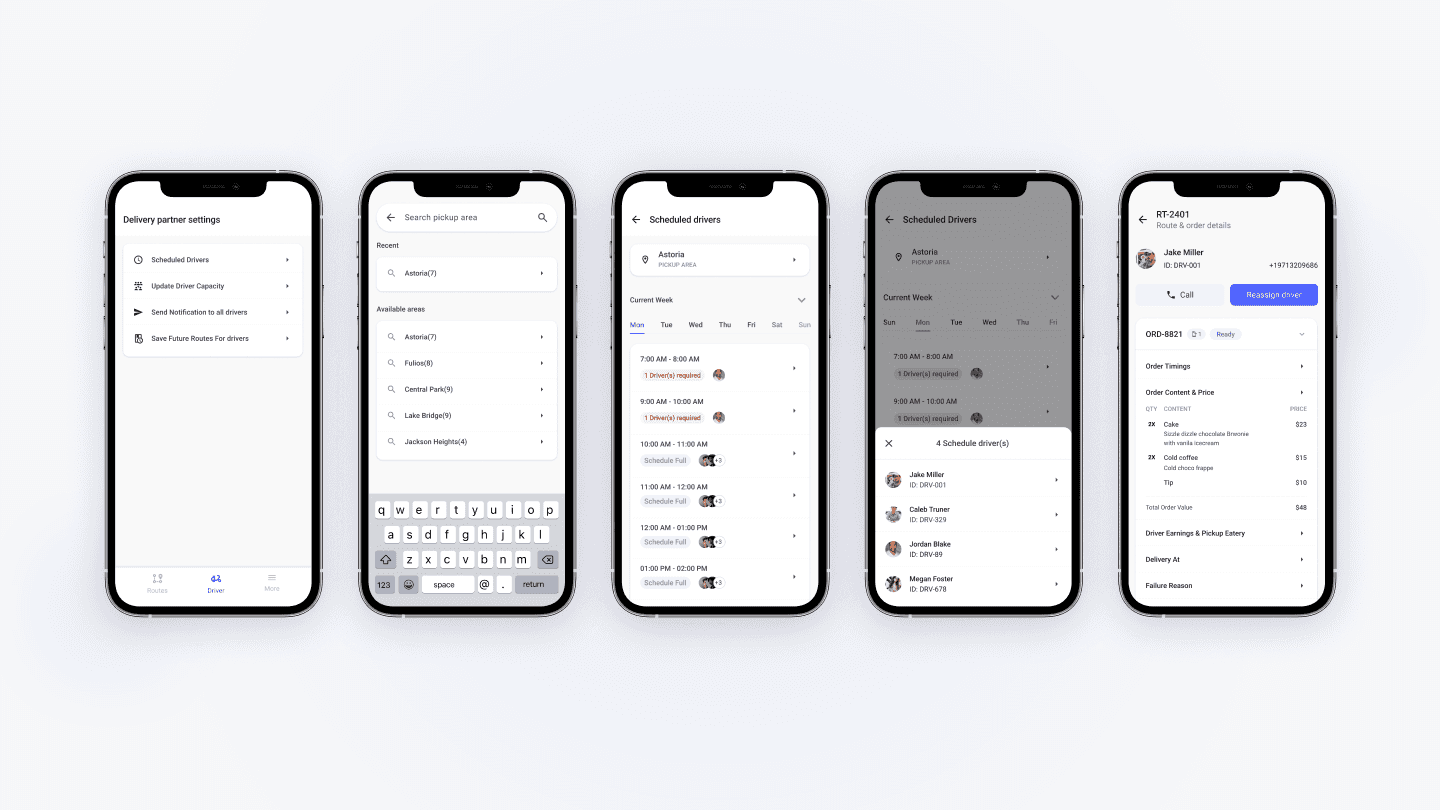
I rebuilt the flow entirely: Pickup Area → Day → Hour → Scheduled Drivers. Tapping any driver profile from that view opens their full details and offers call/remove actions. This change also eliminated the need to open the parent app for schedule checks — a key friction point from the original research.
Updated Driver Schedule
07 Design System
Design System
The design system was based on material theme and components. The name of color convention was based on react native paper theming which helped us a lot in speeding up the the process.

08 Outcome
Outcome & impact
4–5 min → ~1 min
Avg. issue resolution time (self-reported by team lead, 2 weeks post-launch)
~38% fewer escalations
Reduction in order escalations reaching the CEO (4-week post-launch window)
100% mobile adoption
Team switched entirely to the app — desktop dashboard use dropped to near zero
On-time for Portland
Delivered before the expansion launch date, enabling a smooth high-volume rollout
Note: resolution time based on team lead's observation log. Escalation data from CEO's weekly ops report. Formal instrumentation was not in place at the time of launch.
09 What's Next
Reflection & what's next
"Design what users actually need, not what they say they want."
— The scheduling pivot proved this in practice, not just in principle.
The biggest limitation of this version: it still requires opening another tool for a handful of edge cases. Phase 2 targets full self-sufficiency:
Quicker communication with delivery partner
Quicker delivery for Items prone to sogginess
Delivery partner status- Needed more attention
10 The Team
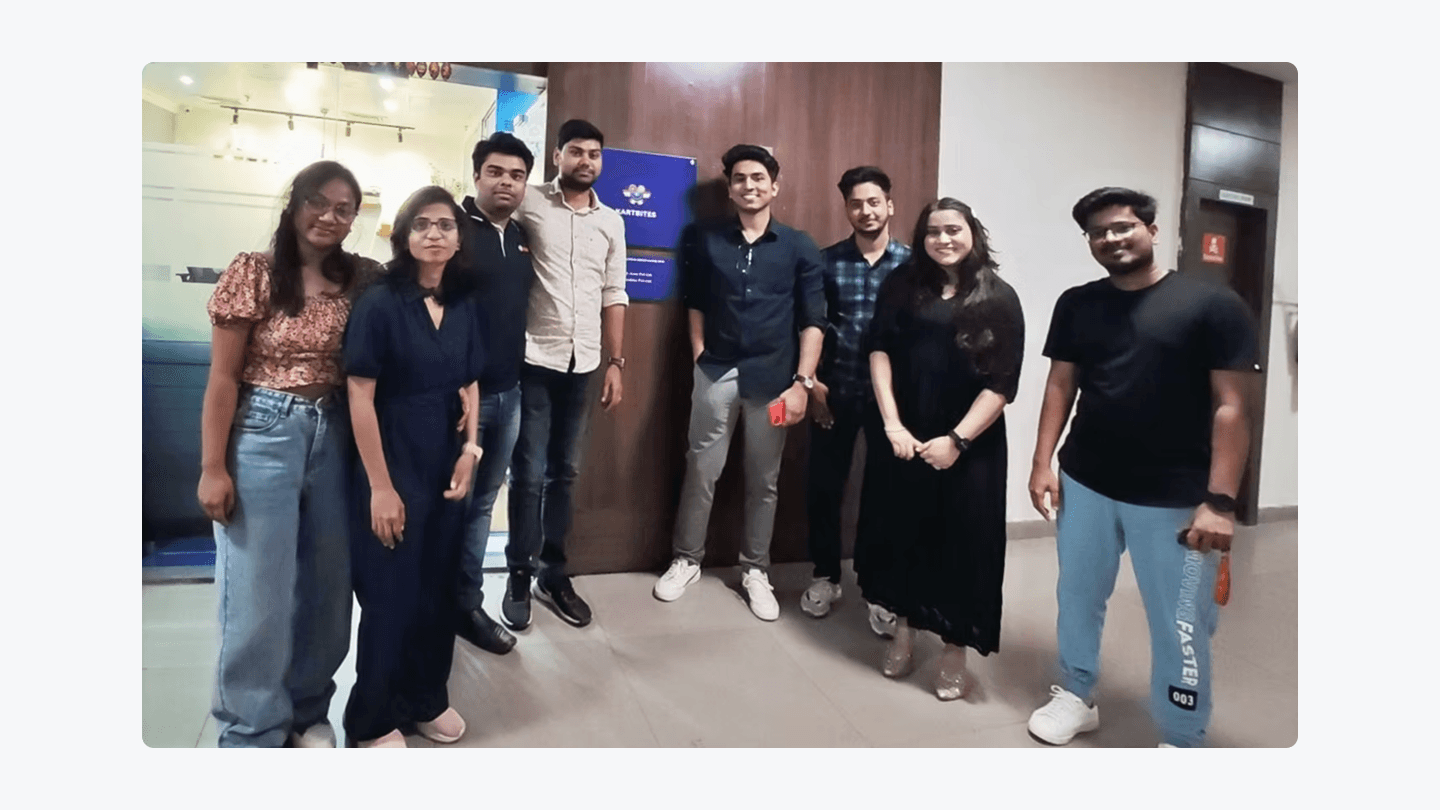
A team which gave me my first opportunity as UX designer & trusted me to contribute to their amazing product.